If you’re working with a robot that has active attachments, it’s crucial to ensure that the attachment is positioned consistently every time you use it. Inconsistent attachment positioning can lead to unpredictable behavior and affect your robot’s performance in competitions. This can be especially difficult if you are swapping out attachments during a competition run, where the gears can easily become misaligned, or you might not remember the correct position for each mission.
The good news is that with PyBricks you can add some simple code to use stalled state of a motor to move it to a known position every time.
Here’s a simple example program using Pybricks that moves a pusher arm attachment all the way down until it is touching the mat, and then raises it by 90 degrees before continuing:
from pybricks.hubs import PrimeHub
from pybricks.parameters import Direction, Port, Stop
from pybricks.pupdevices import Motor
from pybricks.robotics import DriveBase

hub = PrimeHub()
left_wheel = Motor(Port.F, Direction.COUNTERCLOCKWISE)
right_wheel = Motor(Port.B, Direction.CLOCKWISE)
drive_base = DriveBase(left_wheel, right_wheel, 62.4, 128)
attachment = Motor(Port.D, Direction.COUNTERCLOCKWISE)

# Runs at 200 deg/s until it stalls, staying under 30% power, then relax
attachment.run_until_stalled(200, then=Stop.COAST, duty_limit=30)
# Now lift it by 90 degrees as the desired starting position
attachment.run_angle(100, -90, Stop.HOLD)
# Continue with your mission
drive_base.straight(250)
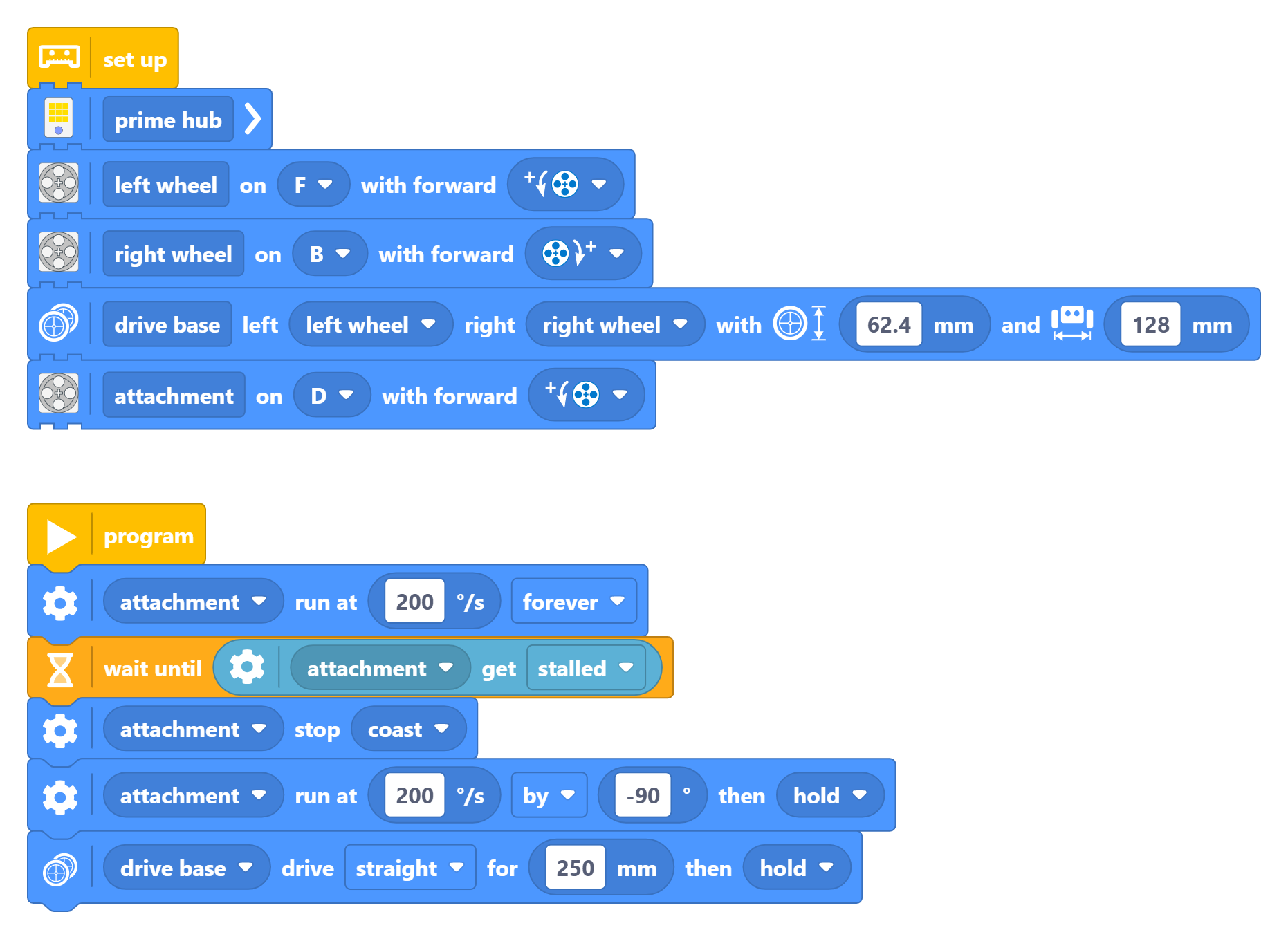
And here is the same concept using blocks: